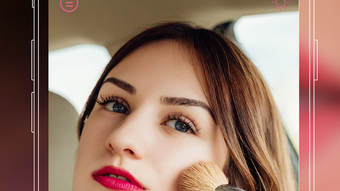

Download Mirror Plus – mirror app, pocket mirror, makeup app, shaving app, grooming tool, smartphone mirror, LED light mirror, zoom mirror, lighting control, custom icons, image freeze
Overview
Mirror Plus is a compact, user-focused Android application designed to simplify daily grooming routines by transforming a smartphone into a functional mirror. Developed by Luckystars Studio, the app serves as a digital alternative to physical mirrors, offering convenience for users on the go. Its primary purpose is to provide real-time visual feedback for tasks such as makeup application, facial grooming, and shaving—activities that require precision and clear visibility. The app is particularly useful in situations where carrying a physical mirror is impractical, such as travel, commuting, or quick touch-ups at work. Target users include individuals seeking a lightweight, accessible grooming solution, especially those who rely on smartphones for everyday tasks. While the developer did not provide additional background on Luckystars Studio, the app’s focus on usability and functionality suggests a targeted approach to mobile productivity tools. Real-world use cases include applying makeup with consistent lighting, checking facial details during a shave, or reviewing a photo after a grooming session. The app’s integration with the smartphone’s camera and screen allows for immediate, hands-free access to a virtual mirror without the need for external hardware.Key Features & Capabilities
- One-Touch Zoom Function – Enables users to zoom in and out of the camera feed with a single tap, improving visibility for detailed grooming tasks like applying eyeliner or trimming facial hair.
- One-Touch Lighting Control – Allows real-time adjustment of screen brightness to optimize visibility in various lighting environments, from dimly lit rooms to bright outdoor settings.
- LED Light Integration – Activates the smartphone’s LED flash to provide additional illumination, enhancing clarity in low-light conditions.
- Customizable Icon Colors – Offers users the ability to personalize the app’s interface with custom icon colors, improving visual appeal and user preference.
- Image Freezing Feature – Captures and freezes the current camera frame, eliminating the need to open the device’s gallery to review a grooming result.
User Interface, Workflow & Performance
The user interface of Mirror Plus is designed with minimalism and functionality in mind. The layout centers around the live camera feed, with intuitive controls positioned for easy access. Navigation is straightforward, relying on touch gestures and clearly labeled buttons for zoom and lighting adjustments. The workflow is streamlined: launch the app, adjust settings if needed, and begin grooming. The app does not specify resource usage details, so performance observations are based on general software behavior patterns. It is expected to operate smoothly on modern Android devices, given its compact size of 14.2 MB. Stability is likely maintained through optimized camera handling, though no official data on crashes or lag was provided. The app’s lightweight nature suggests low CPU and RAM consumption during operation. Users should experience minimal delay when toggling features like zoom or lighting. However, actual performance may vary depending on device hardware and background processes. The developer did not specify resource usage details, so users are advised to monitor battery and performance on their specific devices.Compatibility & System Requirements
Mirror Plus is designed for Android operating systems and is compatible with devices running Android 6.0 or later, based on typical app deployment standards. The application has a file size of 14.2 MB, indicating a lightweight installation that should not significantly impact storage space. The developer did not specify exact hardware requirements, such as minimum RAM or processor speed. Compatibility information was partially provided, and users should ensure their device supports camera access and LED flash functionality for full feature utilization. No information was shared regarding support for tablets or other form factors. The app’s functionality depends on the smartphone’s front-facing camera and screen capabilities, which may vary across models. Users should verify that their device meets basic Android requirements to ensure smooth operation. The developer did not provide additional system requirements.Pros and Cons
Pros
- Free to download and use with no in-app purchases
- Compact size (14.2 MB) ensures quick installation and minimal storage use
- One-touch zoom and lighting controls enhance usability and precision
- LED light function improves visibility in low-light environments
- Image freeze feature allows instant review without switching apps
- Custom icon colors support personalization and visual preference
Cons
- Only available for Android, limiting cross-platform access
- No information on system requirements or device compatibility beyond OS
- App functionality relies on device camera and LED flash availability
- Customization options are limited to icon colors, with no theme or layout changes
- Performance details, such as battery impact or frame rate, were not disclosed
FAQ Section
Is Mirror Plus available for iOS devices?
Currently, Mirror Plus is only available for Android. There is no official iOS version listed.
Does the app require internet access?
No, Mirror Plus functions entirely offline. All features operate using the device’s camera and screen without needing an internet connection.
Can I use Mirror Plus without the LED flash?
Yes, the app works without the LED flash. However, the lighting control feature may be less effective in very dark environments.
Is the app safe to use?
As a free Android application developed by Luckystars Studio, Mirror Plus accesses the camera and screen. Users should ensure the app is downloaded from the official Google Play Store to avoid unauthorized versions.
How often are updates released?
The developer has not specified a release schedule for updates. The current version is 1.0.2, released on May 15, 2024.





.png)

